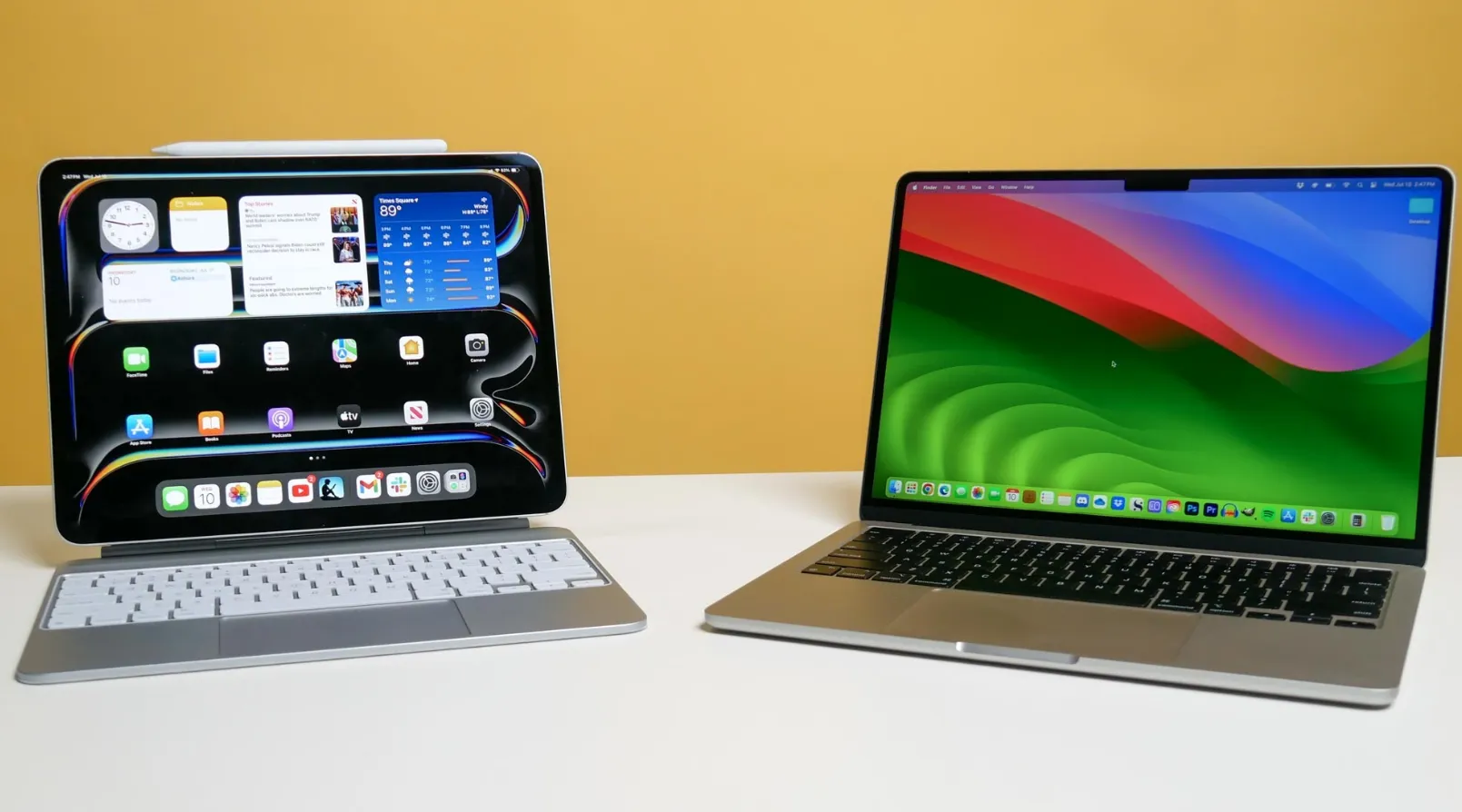
When the iPad first came out, people saw it as a device “between” a smartphone and a laptop. It was great for watching videos, reading, playing some simple slots at the online casino Canada, and messaging, but not much more. Over the years, though, Apple’s tablet has become increasingly powerful and capable. Today, high-end iPads run on the same chips as MacBooks, support keyboards, mice, styluses, and even professional software.
So, can an iPad fully replace a MacBook? At first glance, the answer seems to be yes, especially if we’re talking about portability and basic tasks. But if we look deeper, there are still significant differences and not just because of the operating systems. Let’s find out how the iPad compares to the MacBook, when it really can act as a replacement, and when it still falls short.
Performance and Hardware
In terms of power, the iPad is no longer a “lightweight” version of a laptop. Models like the iPad Air and iPad Pro with Apple’s M3 and M4 chips use the same processors found in the MacBook Air and MacBook Pro. This means their CPU, GPU, and energy efficiency are comparable.
For example, the M4 iPad Pro handles video editing, 3D graphics, and demanding apps with ease. It comes with 8 to 16 GB of RAM, has excellent responsiveness, and offers strong battery life. It runs smoothly, stays cool, and rarely crashes, just like a MacBook.
But here’s the catch: raw power is just the foundation, not a guarantee. That power only matters when the right software and environment are available. And that brings us to the next big difference.
Operating Systems: iPadOS vs. macOS
Despite their similarities, iPads and MacBooks run on very different systems: iPadOS and macOS. This is the key difference.
iPadOS was designed as a hybrid between mobile and desktop operating systems. It supports:
- Mouse and trackpad input
- Multitasking features like Split View and Stage Manager
- A real file system
- External storage and monitor connections
But there are still limitations, especially if you’re used to the full freedom of macOS:
- Most apps run in single-window mode
- There’s no traditional desktop with icons and folders
- File system and terminal access are limited
- Some features are simplified compared to desktop versions
macOS, on the other hand, is a full desktop OS with no compromises. It supports professional software in its entirety, works seamlessly with multiple displays, gives access to system utilities, and allows advanced customization and automation.
So while iPadOS is getting closer to a desktop-like experience, it’s still fundamentally a mobile system optimized for touch.
Software
Even the fastest chip doesn’t mean much without the right apps. This is where the differences between iPad and MacBook become especially clear.
iPadOS now supports a growing list of professional apps, such as:
- LumaFusion and Final Cut Pro for iPad for video editing
- Affinity Photo and Lightroom for photo editing,
- Procreate, a top illustration tool
- Productivity staples like Notion, Microsoft Office, Google Docs, and Zoom
- Logic Pro for iPad for music production
Still, many apps aren’t as full-featured as their Mac counterparts. For example:
- Final Cut Pro for iPad doesn’t support all plugins and extensions available on Mac
- Photoshop for iPad lacks advanced tools like batch processing or spot retouching
On Mac, you get full versions of everything:
- Complete access to pro software suites (Adobe Creative Cloud, AutoCAD, DaVinci Resolve, etc.)
- The ability to run multiple apps in resizable windows, use multiple monitors, and automate tasks with scripts
The Middle Ground: Cloud Services
Some apps work equally well across both platforms, such as:
- Canva, Figma, Google Workspace
- Cloud IDEs for coding like Replit or GitHub Codespaces
But overall, if your work depends on niche or heavy-duty professional software, the iPad is more of a complement than a replacement for the Mac.
Ergonomics and Convenience
Both devices have strengths when it comes to everyday use.
What’s great about iPad:
- Compact and lightweight: even with a keyboard, it’s lighter than most laptops
- Flexible form factor: you can hold it in your hands or set it up on a desk
- Touch controls: sometimes it’s faster to tap than to use a cursor
- Apple Pencil: unmatched for drawing, sketching, note-taking, or signing documents
- Magic Keyboard: adds a laptop-like feel with a backlit keyboard, trackpad, and fixed screen angle
What MacBook does better:
- Traditional laptop setup: keyboard, large trackpad, and angled screen, no accessories required
- More ports
- Ready-to-go experience: open it up and get to work, no adjustments needed.
When the iPad Can Replace a MacBook and When It Can’t
To answer whether an iPad can replace a MacBook, you have to look at the specific use case.
Who Can Use an iPad as Their Main Device
Students
- Lightweight and easy to carry in a backpack
- Perfect for note-taking (especially with Apple Pencil)
- Supports online learning platforms, documents, presentations, and Zoom
Content Creators and Social Media Managers
- Great for editing Reels, Stories, or TikToks directly on the device
- Supports Canva, Lightroom, Photoshop, Notion, Trello, etc.
- Ideal for photo editing and light video production
Illustrators and Designers
- Procreate, Affinity, Adobe Fresco provide a full creative environment
- Apple Pencil offers precision and responsiveness
- Handy for sketching, storyboarding, or designing on the go
Business Professionals and Frequent Travelers
- Easy to work on during flights or train rides
- Professional look plus office functionality
- Quick access to documents, spreadsheets, and communication tools
Who Still Needs a MacBook
Programmers
- Cloud coding is just a workaround, not a full solution
Video Editors, Sound Engineers, and 3D Specialists
- Mac offers more power, more plugins, and a bigger ecosystem
- iPad versions of pro apps are stripped down and sometimes incompatible
Heavy Multitaskers
- If your workflow involves dozens of windows (finance, analytics, legal work), macOS multitasking is much more practical
Customization Enthusiasts
- macOS allows deep system tweaks: hotkeys, scripts, advanced automation
Conclusion
So, can the iPad replace the MacBook? Yes, but only in certain cases and for certain people.
A modern iPad is no longer “just a tablet.” It’s a powerful productivity tool, especially if you’re:
- A creator
- A designer
- A student
Someone who travels often and values mobility
But if your work depends on professional-grade software, advanced multitasking, customization, or complex workflows, the MacBook is still in a league of its own.

I manage KickyReport.com, a news-driven platform where I deliver timely updates. My focus is on keeping readers informed about the latest events and trends.